README from GitHub, GPL-3.0
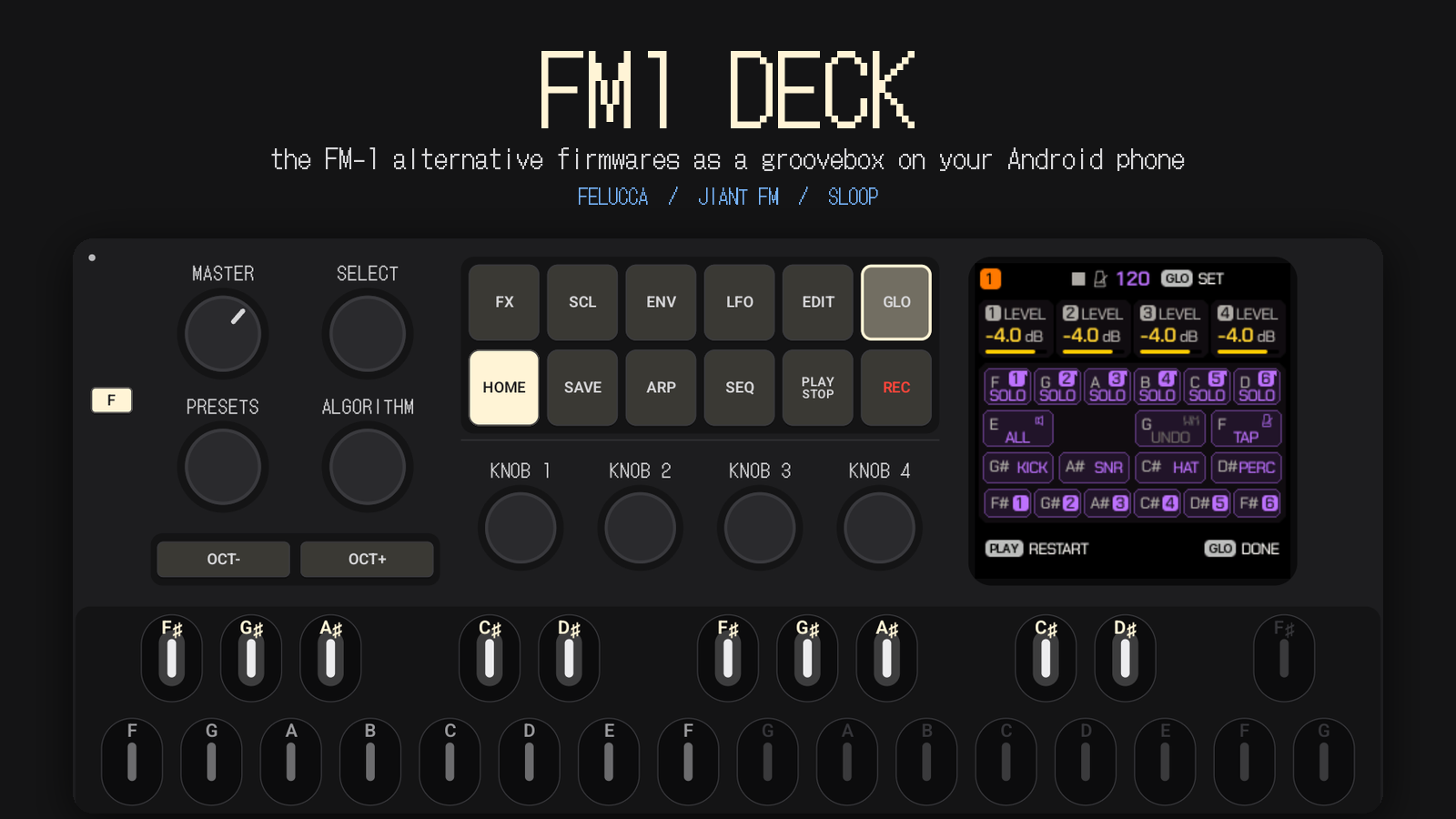
Download the APK · Manual · Changelog · How it works
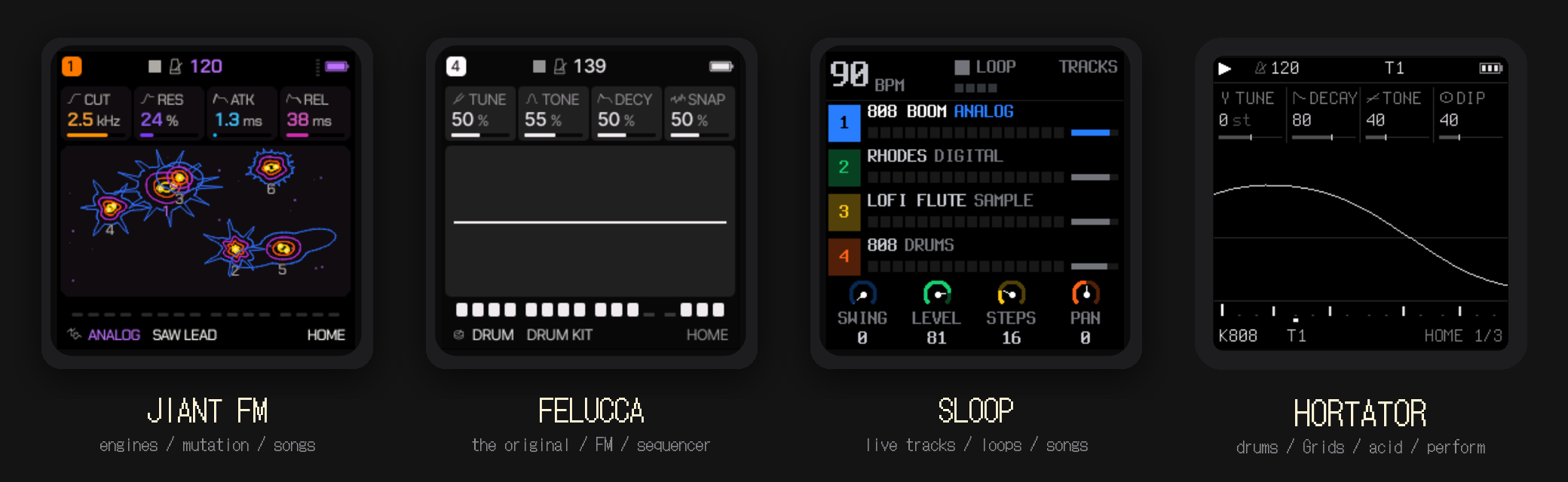
FM1 DECK puts the community firmwares of the FM-1 pocket FM synthesizer — Felucca, JIANT FM, SLOOP and Hortator — on an Android phone, as a real groovebox you play with your fingers.
It is not a remake and not an imitation. The authors' own C code runs on the phone, unmodified: the same sequencer, the same engines, the same screens, the same button combos. FM1 DECK gives it a body — a touch panel with the original controls, a low-latency audio engine, a master bus, and a Wi-Fi link to jam with other phones.
New in 0.2: three grooveboxes in one. Load up to three firmwares into the rack and play them at once — one master bus, one tempo, one PLAY. Switch between them with a thumb, mute or solo each, save the whole set as a session.
Status: preview. Built and tested on a Samsung Galaxy M52 5G and a POCO C75. Features marked planned are on the roadmap, not in the app yet.
See it play
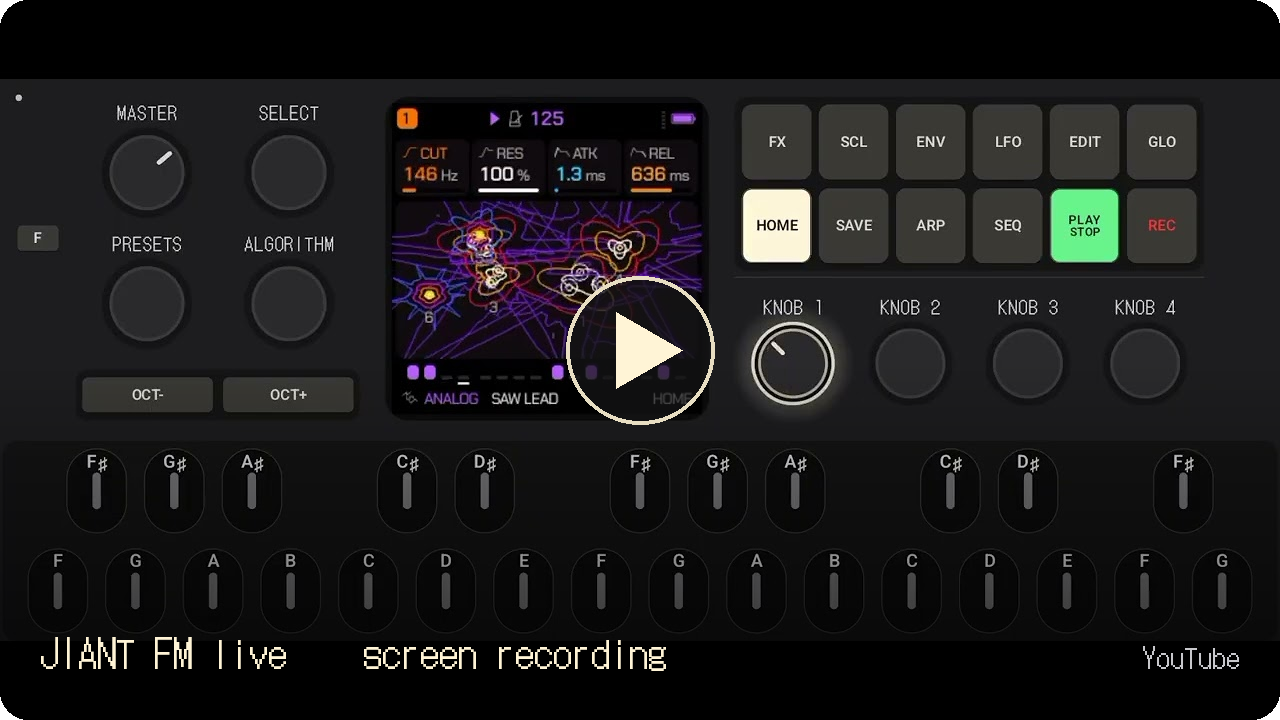 | 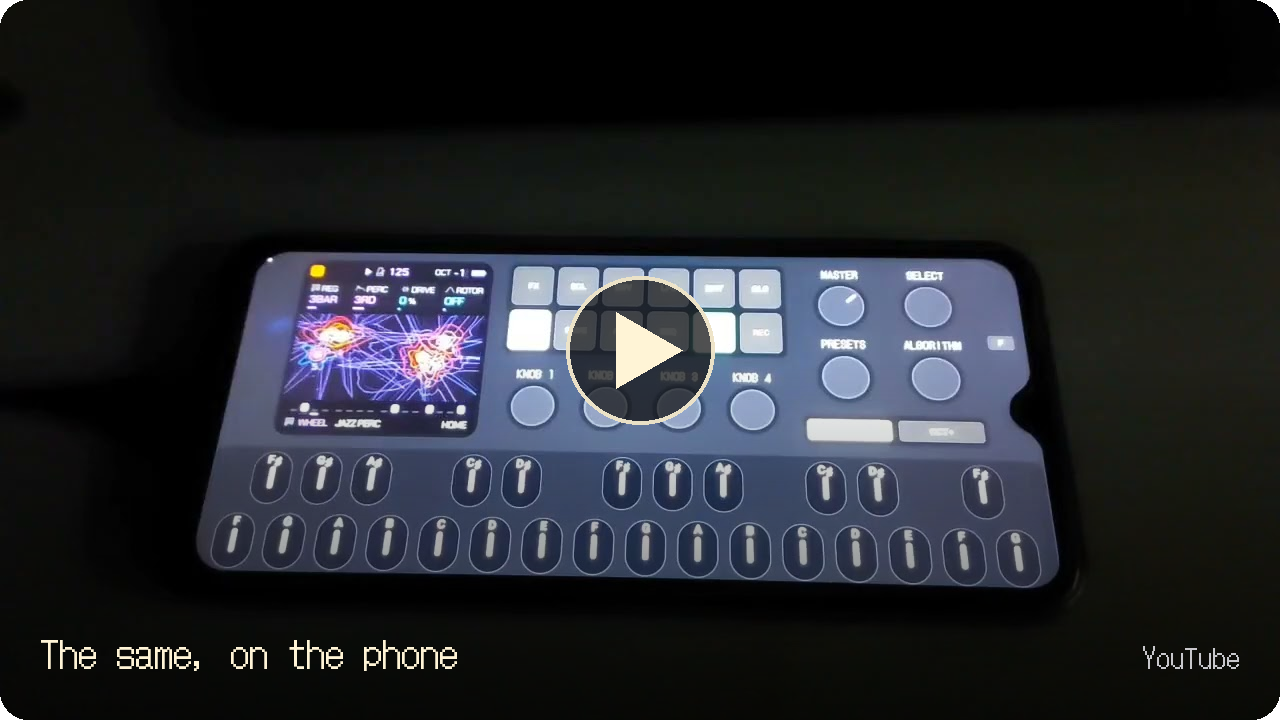 |
| JIANT FM live on an Android phone — a jam, straight from the screen | FM-1 firmwares as a groovebox on Android — the same, filmed on the phone |
Why this exists
Android has very few grooveboxes, and almost none with a character of their own. The FM-1 firmwares have one: a few buttons that open whole layers, keys that double as a control surface, songs built without a computer, a little screen that tells you everything. I'm just a groovebox lover who wanted to play them anywhere — on the bus, on the couch, without the keyboard in my bag.
So here it is, open source. Play it, fork it, grow it.
Quick start — your first five minutes
- Install and open. The app starts in landscape with the panel and a firmware already running. Turn the phone volume up; drag MASTER (top-left knob) up for more.
- Play. Touch the keys at the bottom — the lower row is F G A B C D E…, the upper row the sharps. Chords work.
- Press PLAY/STOP. The firmware's sequencer runs its current pattern. Press it again to stop.
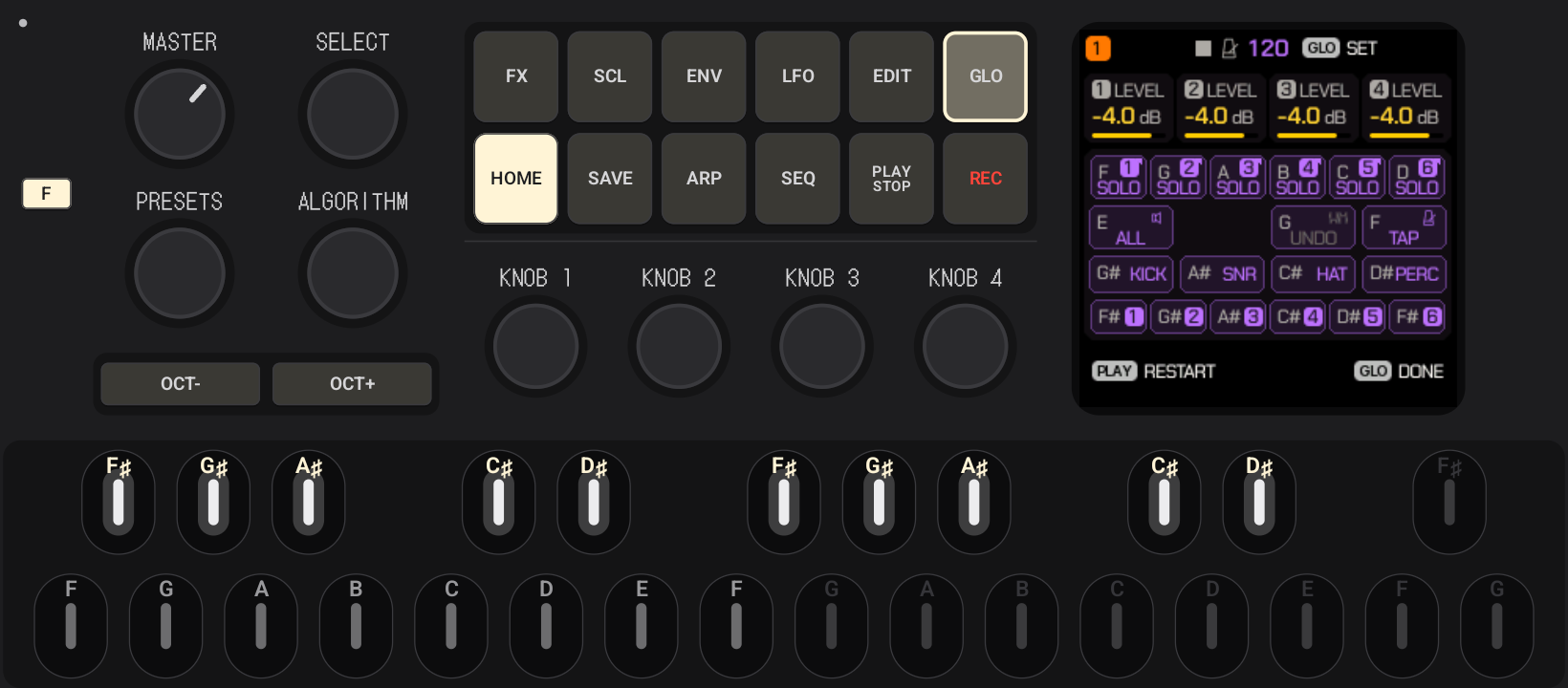
- Open a layer. Hold GLO (or FX, EDIT, SEQ…): the screen shows that layer's page, and the keys it offers light up with their letters — the screen says F SOLO, the lit F key is solo. Let go to close. With the phone in both hands, tap F first, then GLO — it stays open until you tap F again.
- Turn the knobs. KNOB 1–4 edit what the screen shows; SELECT, PRESETS and ALGORITHM browse. Drag up/down.
- Change the sound. Turn PRESETS for another sound; OCT− / OCT+ shift the keyboard.
- Open Settings — the small dot in the top-left corner. Try another Firmware, another Skin, a Master preset (Loud, Warm, Crush…).
- Jam with a friend. Both phones on the same Wi-Fi → Settings → MIDI → LINK ON on both → PLAY on either.
From there, each firmware's own manual opens its world: Felucca · JIANT FM · SLOOP · Hortator.
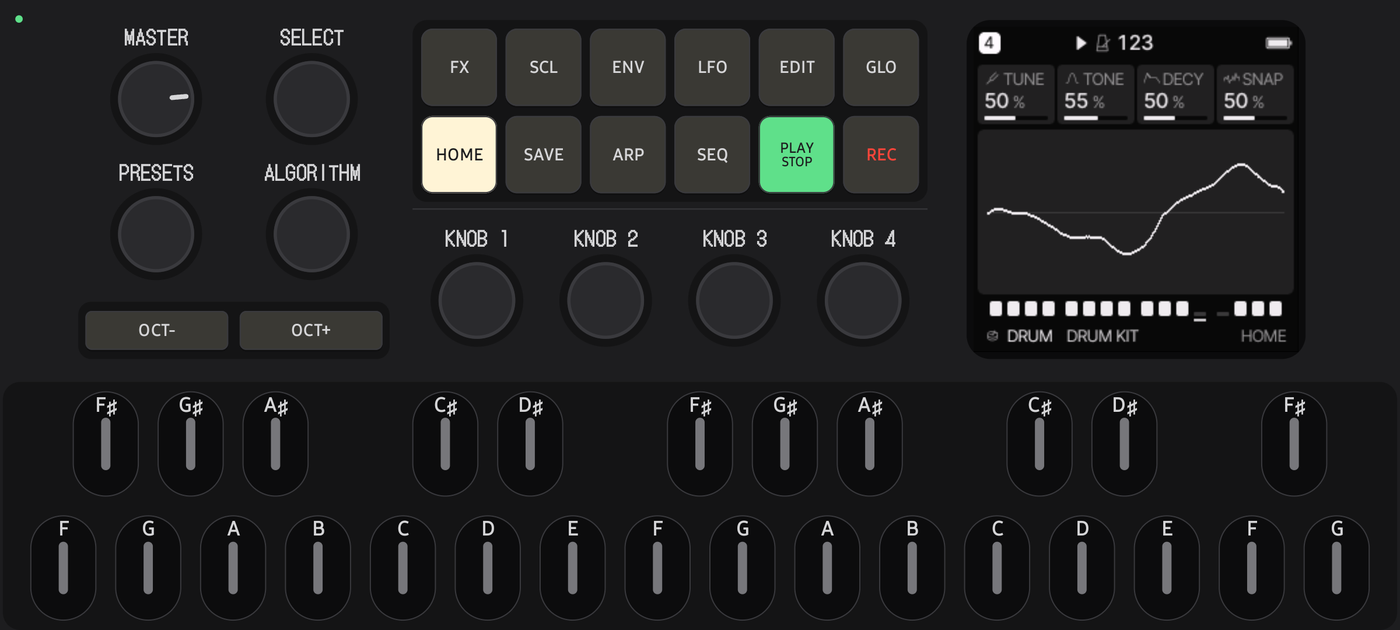
Where is what
| On the panel | What it is | What for |
|---|---|---|
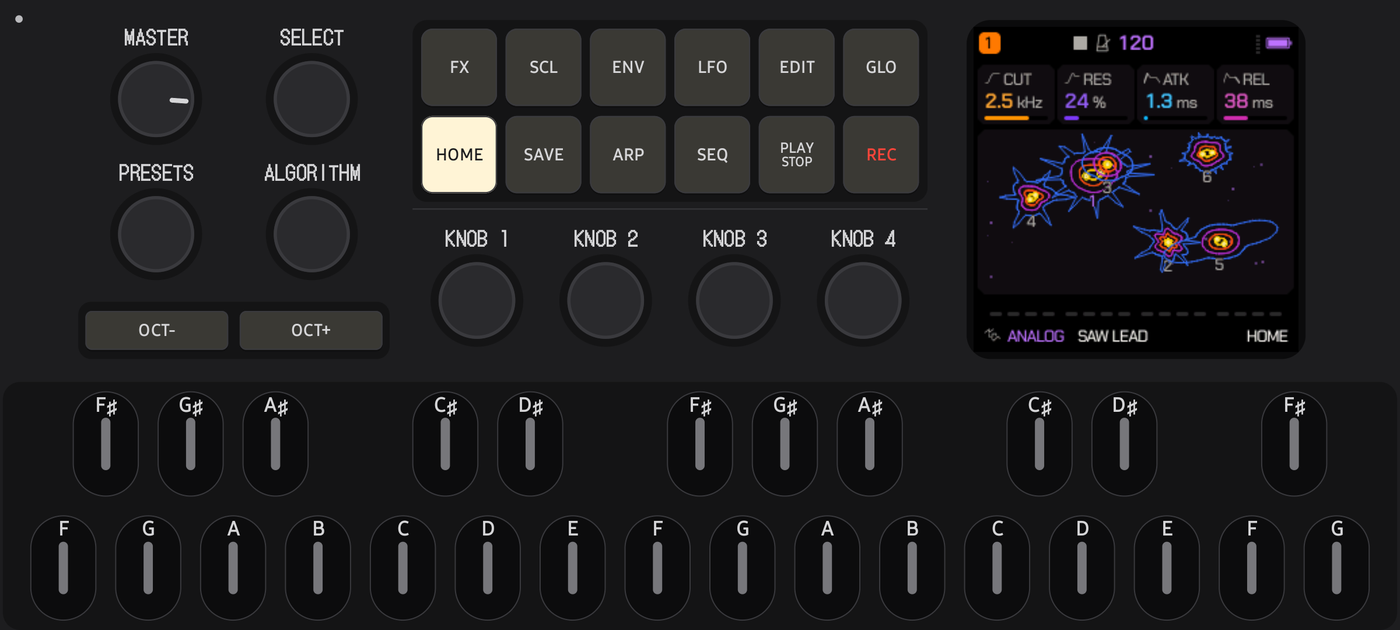
| Screen (240×240) | The firmware's own display | Every page, value and hint of the firmware |
| MASTER | Volume pot | Output level, like the hardware's |
| SELECT · PRESETS · ALGORITHM | Endless encoders | Browse pages, sounds, FM algorithms (the firmware decides) |
| KNOB 1–4 | Endless encoders | The four values on the current page |
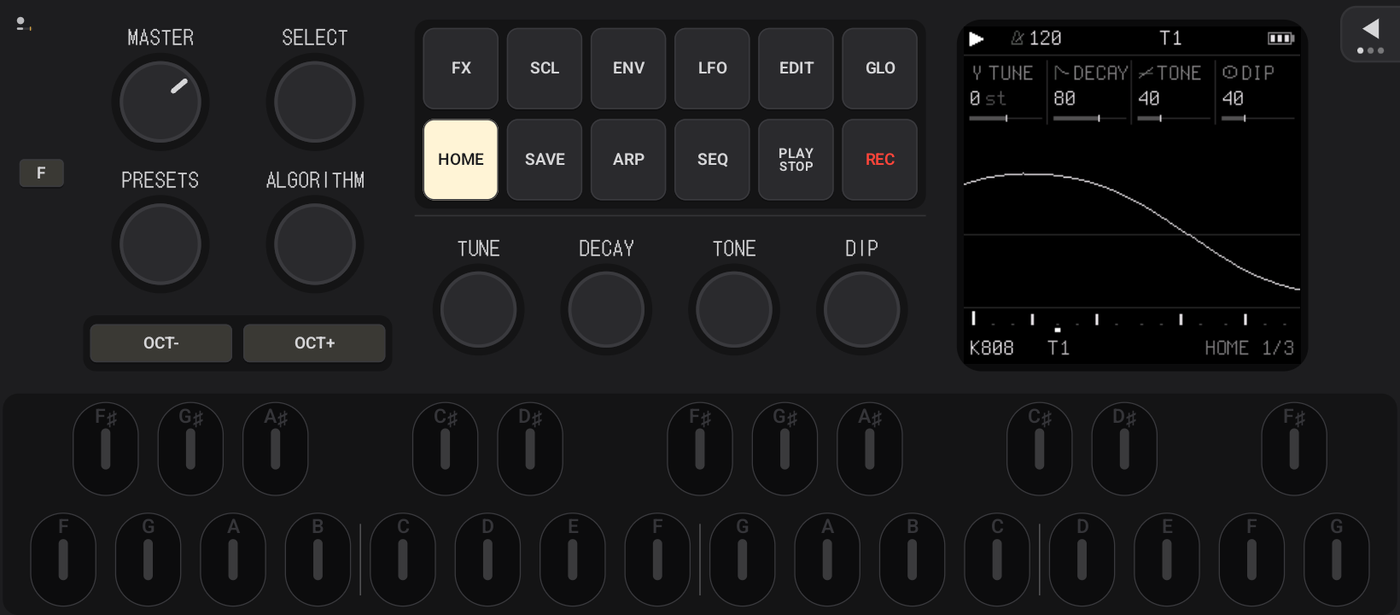
| FX SCL ENV LFO EDIT GLO | Layer buttons (top row) | Hold to open a layer; the keys become its functions |
| HOME SAVE ARP SEQ PLAY REC | Buttons (bottom row) | Home page, save/load, arpeggiator, sequencer, transport, record |
| OCT− / OCT+ | Octave buttons, own island | Keyboard octave, and the firmware's combos |
| F | Latch (app) | Keeps the next buttons held until you tap them or F again |
| 27 keys F3–G5 | Keyboard with note names | Notes; in a layer, functions — the lit letters |
| Dot, top-left | Settings (app) | Session, Skin, Firmware, Audio, Master, MIDI/Link, About; green while Link is on; the bar under it is the DSP load |
| Triangle, top-right | The rack (app) | Opens the drawer: the three slots, tempo, PLAY, mute / solo |
| In Settings | What for |
|---|---|
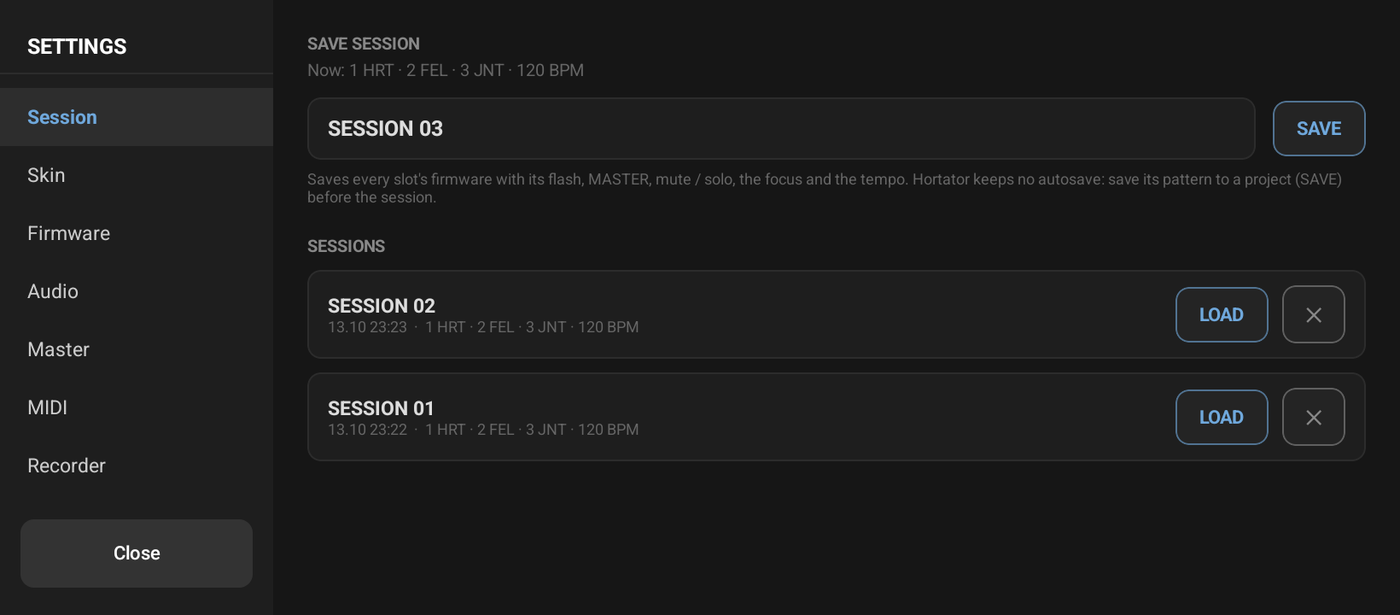
| Session | Save the whole rack under a name — every firmware with its flash, volumes, mute / solo, tempo — and load it back |
| Skin | Choose one of seven layouts; keyboard height, knob sensitivity, key light colour, beat marks, haptics |
| Firmware | Pick the firmware of the slot you play: JIANT FM, Felucca, SLOOP or Hortator (each keeps its own projects) |
| Audio | Master-bus quality ×1–×8; stream, latency and CPU — check here if you hear crackles |
| Master | The mastering chain: presets, A/B, bypass, the scope that shows peaks being pressed |
| MIDI | Ableton Link — play in sync with other phones and apps |
| About | Versions, credits, licences |
The full manual: docs/MANUAL.md.
Four firmwares, one panel
| Firmware | Its soul | Author | |
|---|---|---|---|
 | JIANT FM 0.6.75 | A "bio-synthetic operating system": many engines, mutation, songs with ARRANGE and UNDO, made for playing live | juanjiant-bit |
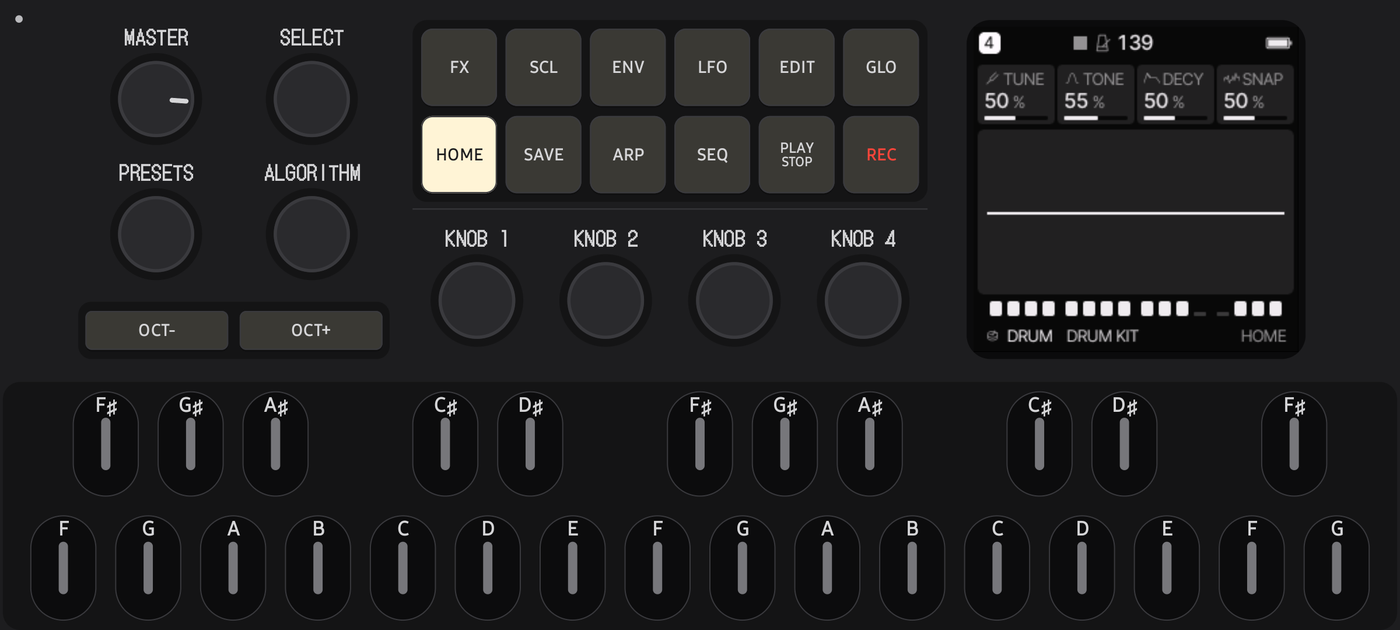 | Felucca 1.6 | The original alternative firmware: FM voices, a step sequencer with chance and ratchets, MIDI learn, insert effects | Leo Kuroshita / Hügelton Instruments |
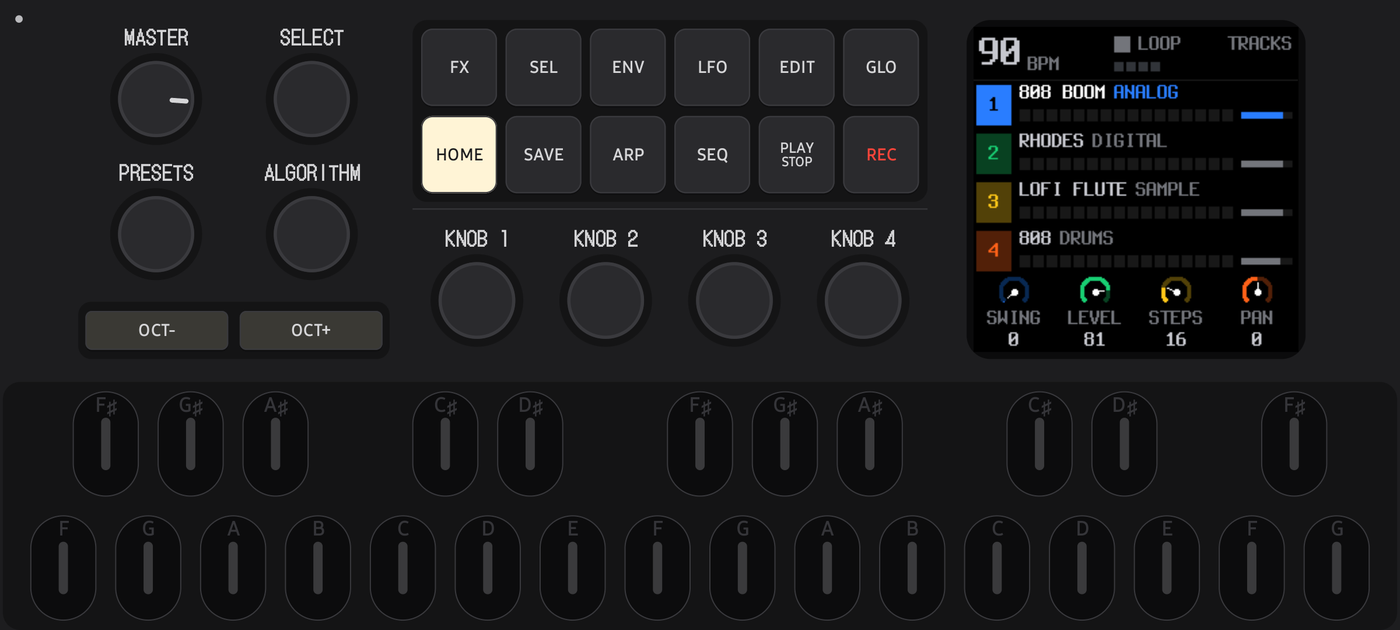 | SLOOP 2.6 | A live groovebox for any style: tracks, loops, an arranger, 12 engines | isod89 |
 | Hortator DRUM-0.16.0 | An eight-track drum machine: steps, Grids, an ACID bass line, PERFORM | DEADACTIVE |
Each keeps its own 1 MB flash — your projects and presets wait for you when you come back.
Three at once — the rack
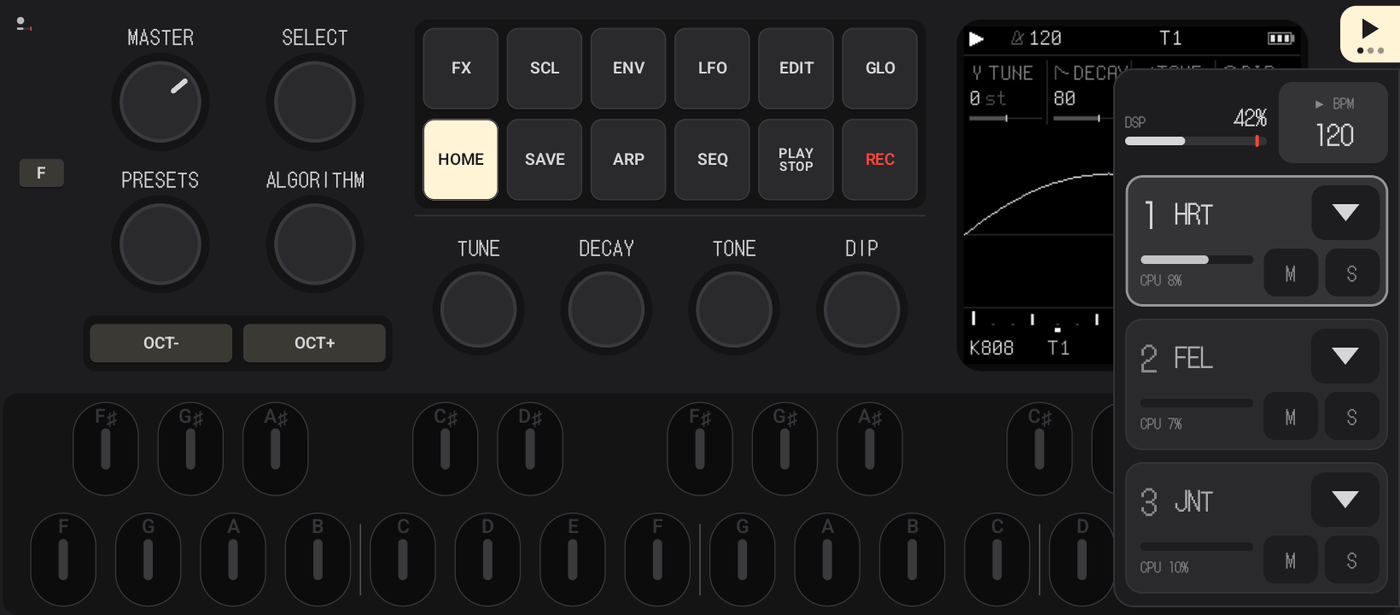
- Up to three firmwares play together, summed into the one master bus. The panel plays the slot you pick; the others keep running.
- Tap the triangle in the top-right corner: the drawer slides out. Tap a slot to play it, the ▾ arrow to choose its firmware, M / S to mute or solo it, swipe a slot sideways to switch it off. Tap anywhere empty to close.
- One clock. With two or more firmwares, tempo and PLAY / STOP are shared: PLAY on any of them starts them all, and a firmware you add while they play comes in on the next bar. Drag the BPM in the drawer to change the tempo; with Link on, the clock is the Link session's.
- DSP meter under the settings dot and in the drawer: how much of the phone's audio time the rack uses, so you know when a fourth idea is one too many.
- Sessions (Settings → Session): one tap saves everything — the three machines with their flash, volumes, mute / solo, tempo — under a name, one tap brings it back.
Play it like the hardware
- The whole FM-1 panel: the 240×240 screen, 12 buttons with their real LEDs (lit, dim, breathing), SELECT, PRESETS, ALGORITHM, KNOB 1–4, MASTER, OCT−/OCT+, 27 keys from F3 to G5.
- Multitouch like on the device: hold a layer button with one finger, press keys with the others, play chords.
- Note names on the keys. The firmwares' screens name keys by their notes — F SOLO, C ALL, G UNDO. Those letters light up on the keys the moment the firmware offers them, so the hint on the screen points straight at the key. While you play, the letters glow with the LEDs.
- F — latch. Holding a phone with two hands, you have no finger left to hold GLO and turn a knob. Tap F, tap GLO: it stays held until you let it go. One thumb, the whole layer.
- Knobs that feel right: drag up or down, fine steps on hold, a glow while you touch. Their names follow the firmware's page.
- Key light in your colour. The key LEDs can glow red, orange, amber, green, cyan, blue, violet or pink instead of white, and thin marks split the 16 white keys into beats — a running pattern reads at a glance.
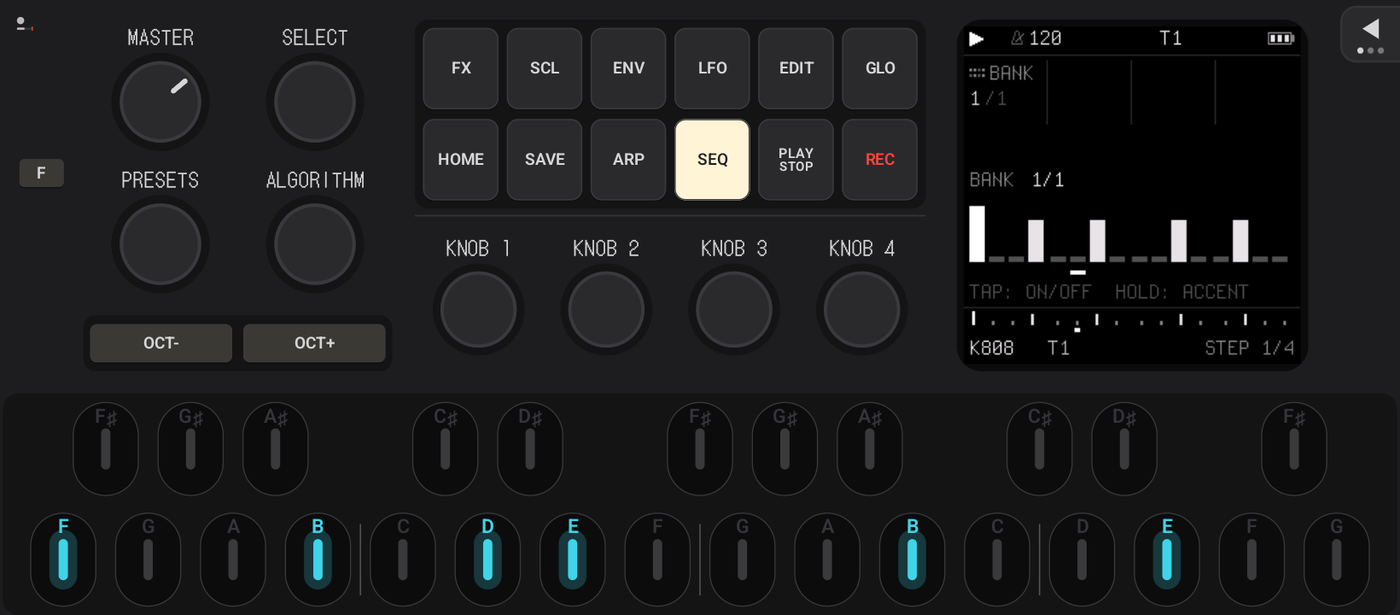
Seven layouts
The same controls in six landscape arrangements, plus Portrait — a gamepad layout for the phone held upright. The keyboard always spans the full width.
| Classic | 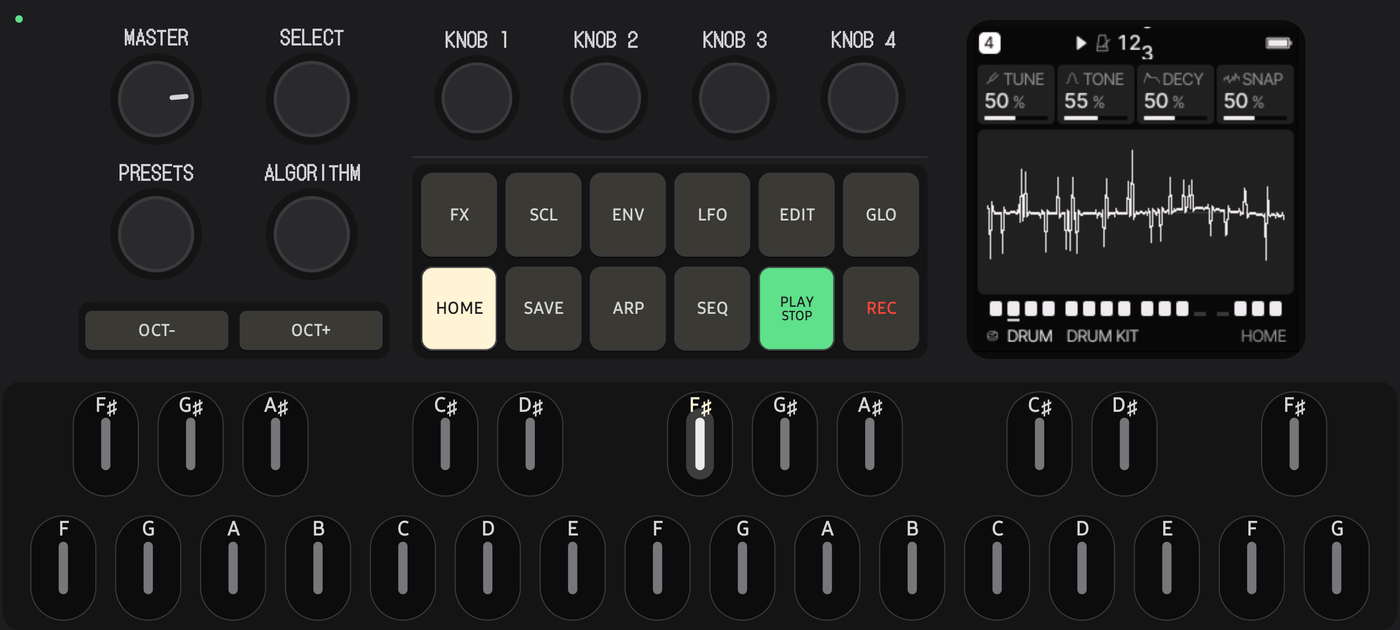 Knobs on top | 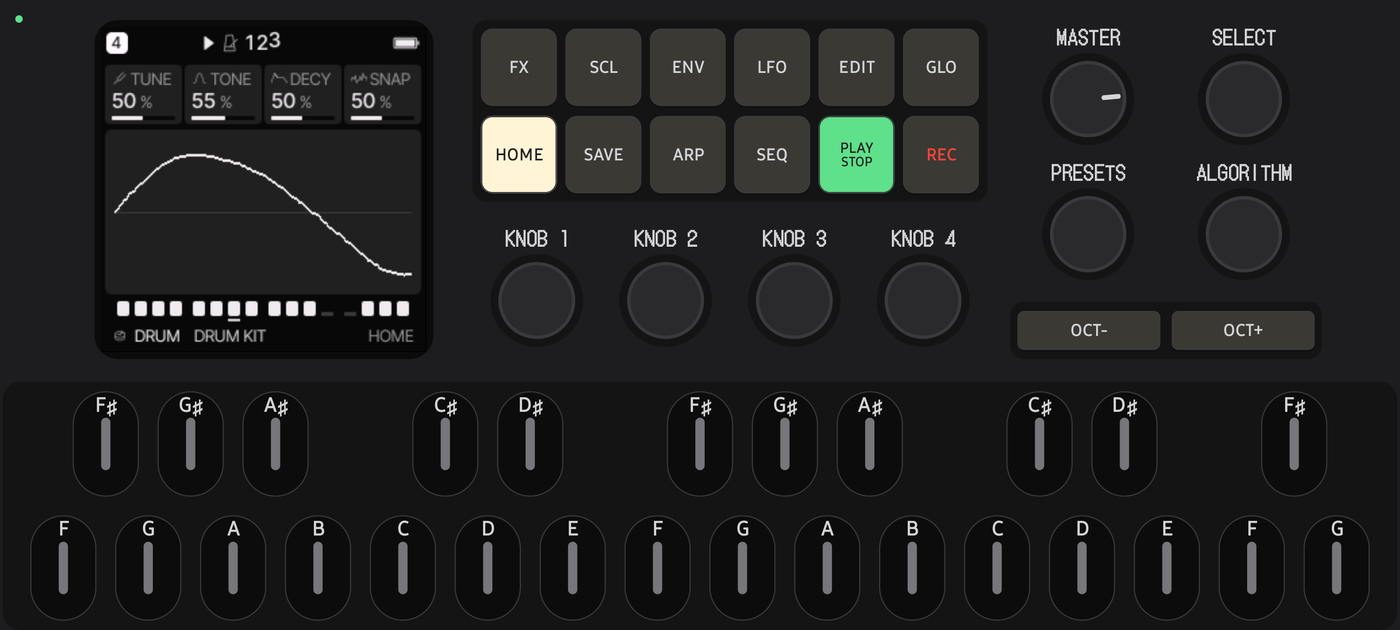 Screen left |
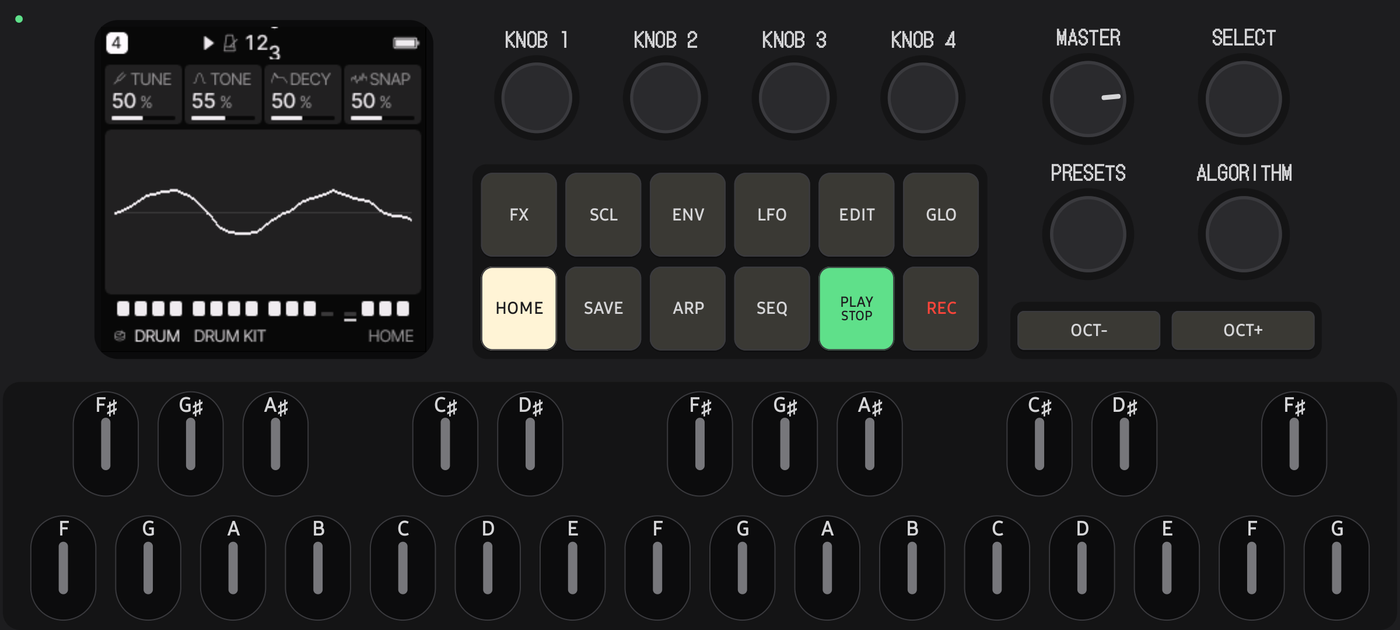 Screen left, knobs on top | 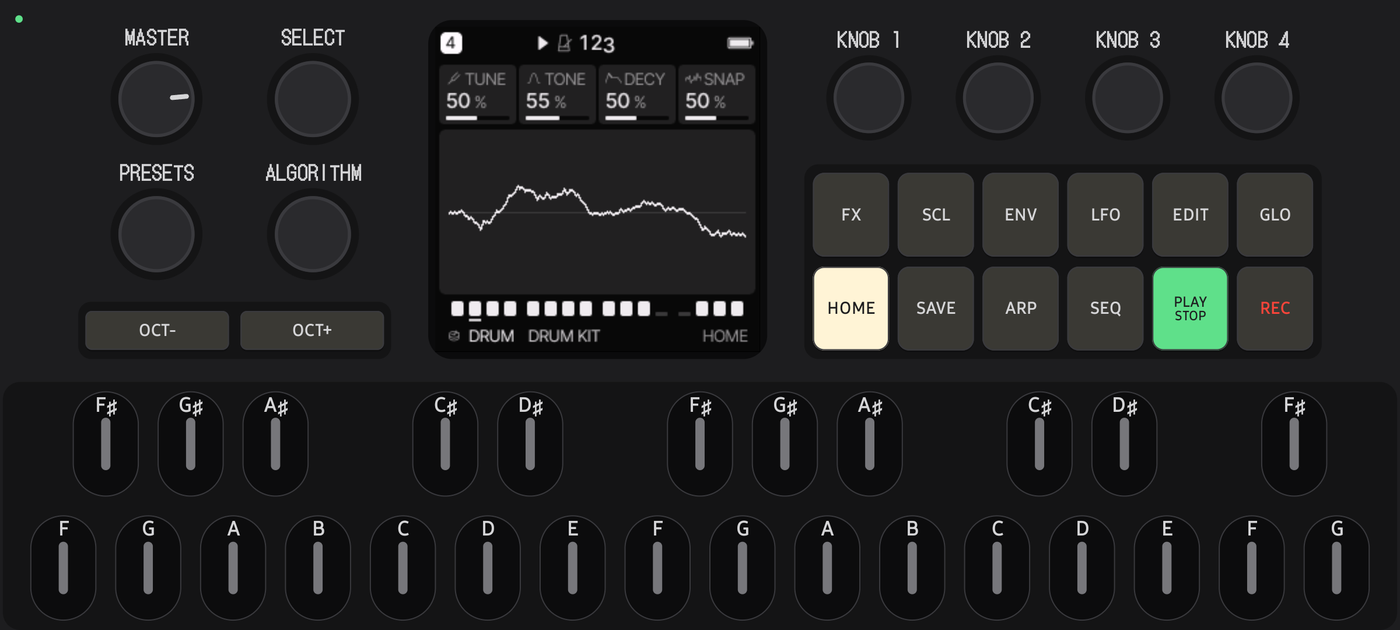 Screen in the middle | 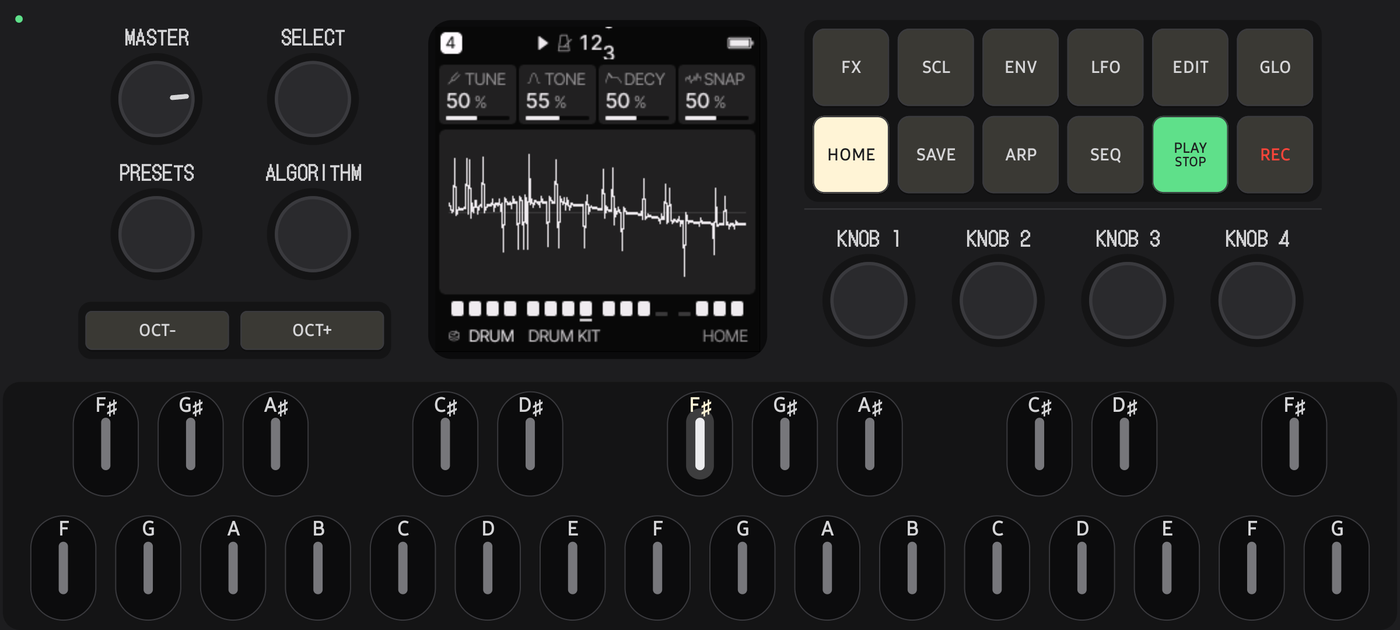 Screen in the middle, buttons on top |
Each one is a small JSON file — write your own and import it.
Two phones, one groove — Ableton Link
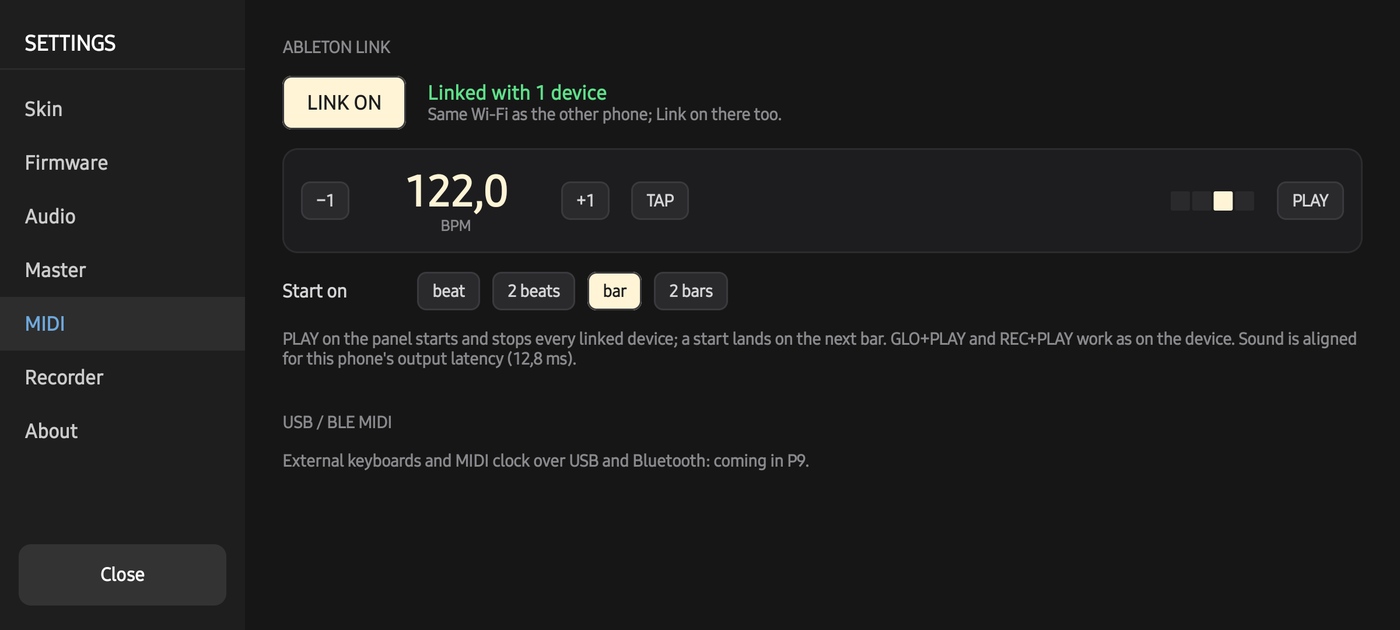
Put two phones on the same Wi-Fi, switch LINK on both, press PLAY on either one — both start together on the next bar. Change the tempo on one, the other follows. No leader, no cables, no setup. It is Ableton Link, so the same works with Ableton Live and hundreds of music apps.
Under the hood the session becomes a MIDI clock for the firmware, exactly as if a clock cable were plugged into the FM-1 — compensated for each phone's own audio latency (13 ms on one test phone, 92 ms on the other).
A master bus with a view
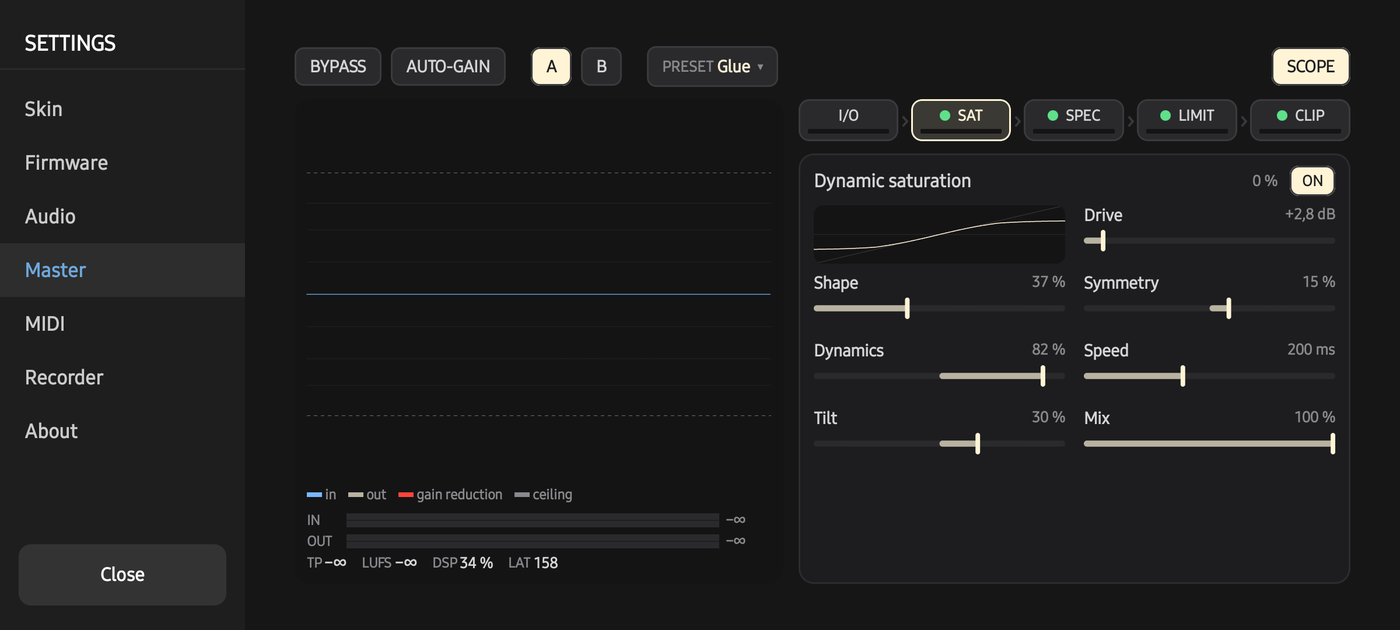
The firmware's sound goes through a mastering chain of its own:
dynamic saturation (drive that follows the level) → spectral clipper (multiband, transients returned) → look-ahead limiter (true-peak aware) → final clipper.
The scope shows what it does: the signal before in blue, after in cream, gain reduction in red from the top — you see the peaks being pressed. Seven presets (Default, Clean, Warm, Punch, Loud, Crush, Glue) and your own, A/B, bypass, loudness-matched auto-gain, oversampling ×1–×8.
Settings at a glance
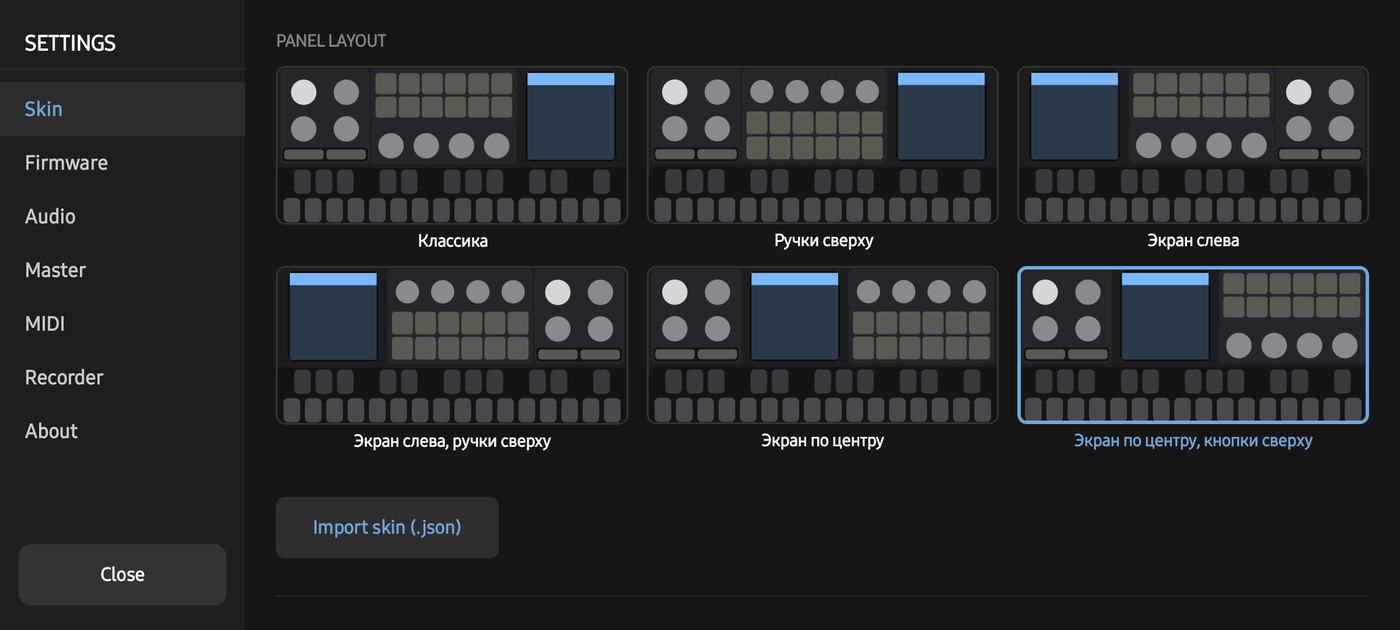 Skin — layouts as schematics, keyboard height, knob feel, haptics | 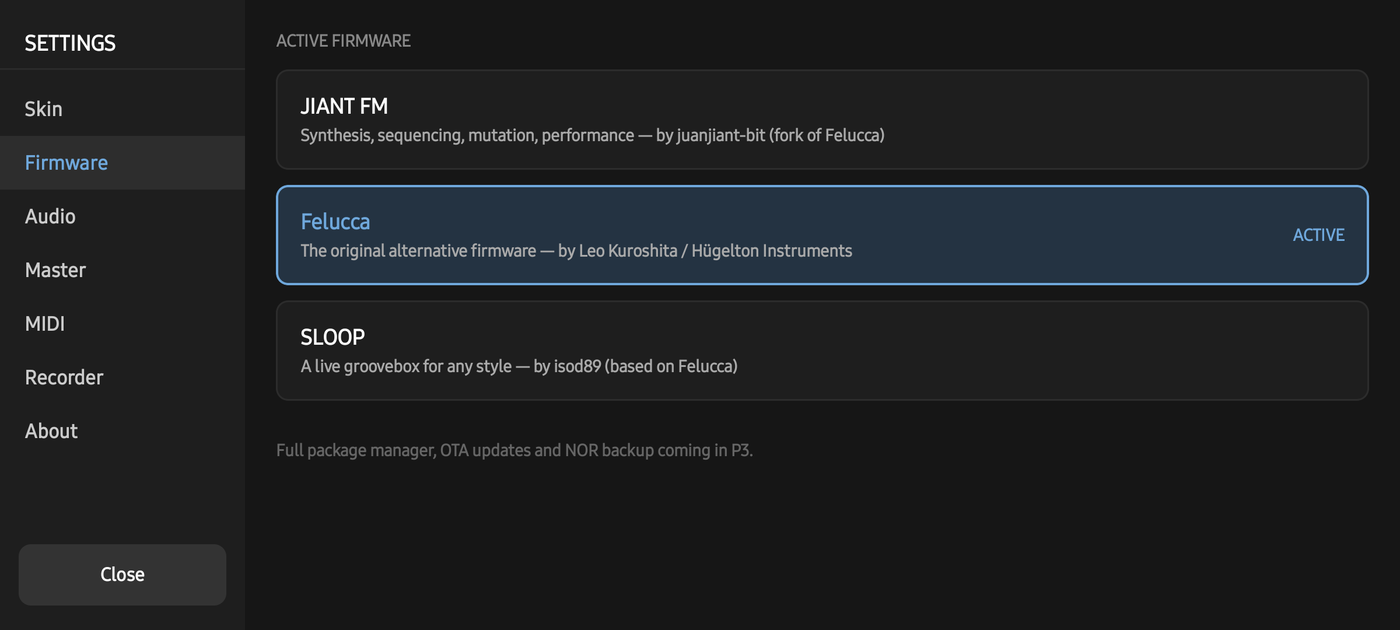 Firmware — Felucca, JIANT FM, SLOOP, Hortator |
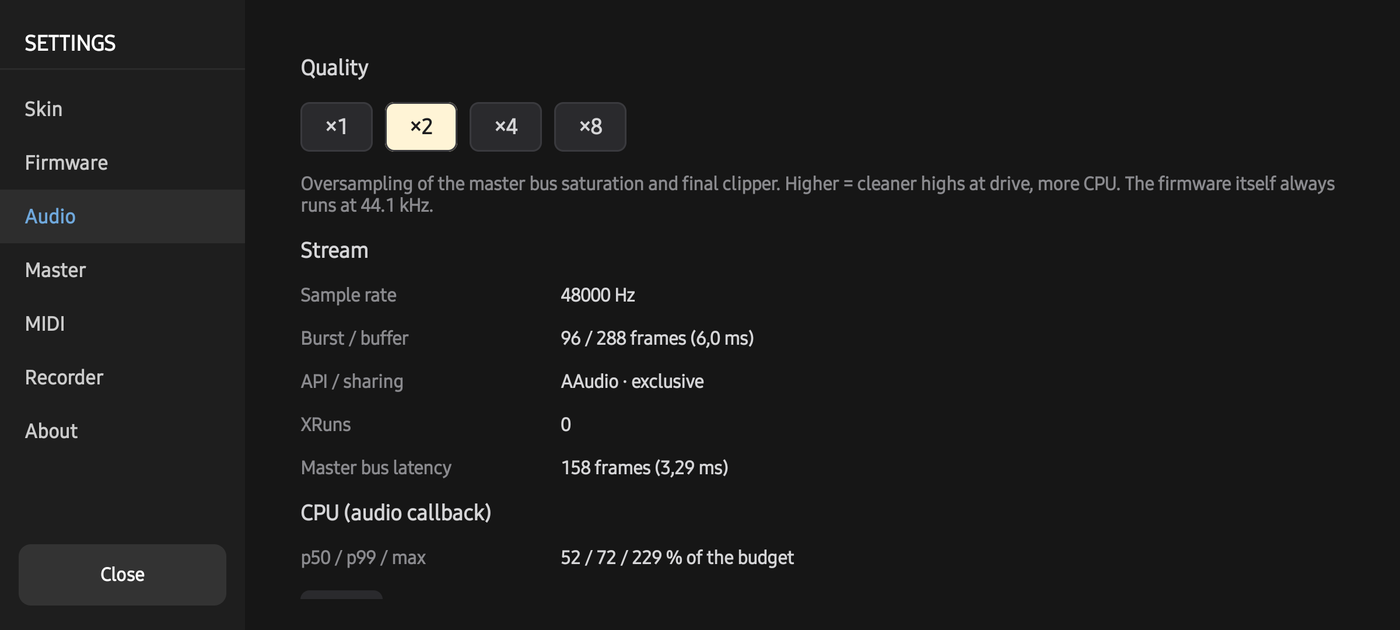 Audio — quality, stream, latency, CPU budget | 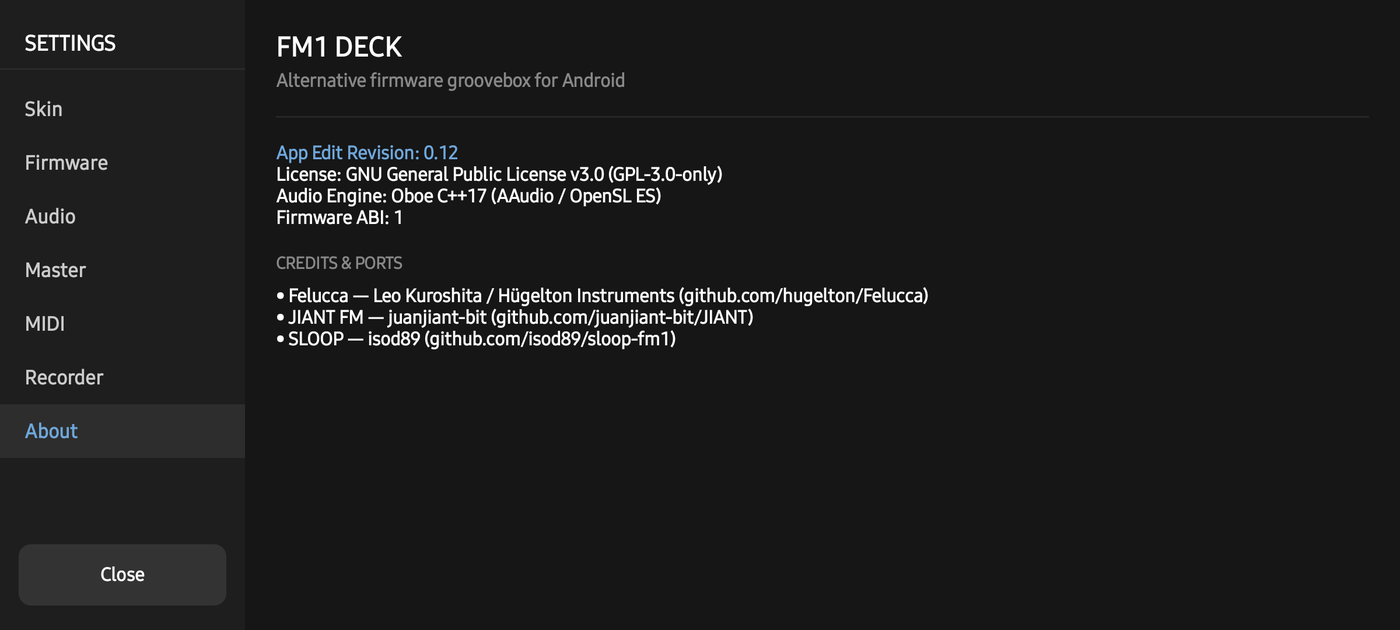 About — versions, credits, licences |
Open Settings with the small dot in the top-left corner of the panel (it turns green while Link is on).
Install
- Download
FM1-DECK-<version>-arm64.apkfrom Releases. - Open it on the phone; allow installing from your browser or file manager when Android asks.
- Android 10 or newer, 64-bit ARM. No permissions at start; the network is used only while Link is on.
Wired headphones or a cable to a speaker work best — Bluetooth adds 150–250 ms of delay.
How it works
 touch panel  ──buttons · keys · knobs──▶  firmware module  ──▶  master bus  ──▶  Oboe / AAudio
 (Compose)    ◀──── screen · LEDs ───────  libfw_<id>.so          SAT · SPEC        48 kHz, low latency
                                           the author's C          LIMIT · CLIP
                                           + its emulator HAL      (oversampled)
                       Ableton Link  ──▶  MIDI clock (24 PPQN, start, stop) into the firmware
Every FM-1 firmware ships a browser emulator whose hardware layer models the device — clock, audio buffers, button matrix, LEDs, LCD, flash. FM1 DECK compiles that same layer with the firmware sources into a native Android module and drives it from the audio thread, sub-block by sub-block, with the hardware's input timing. Nothing in the firmware is patched; updating to a new version of a firmware is a rebuild.
More: How it works · the full design documents (in Russian) in docs/.
Build from source
git clone --recursive https://github.com/TonalPAK/FM1-DECK.git
cd FM1-DECK
python3 tools/fwgen/fwgen.py all            # the firmwares' generated fonts and tables
./gradlew assembleDebug -Pfm1deckAbis=arm64-v8a
Needs Android Studio (JDK 21), NDK 28, CMake 3.22+, Python 3 with Pillow, numpy and fonttools (on Windows, run the
fwgen step in WSL). Tests: ./gradlew test and native-tests/. Releasing a signed APK:
docs/RELEASING.md. Want to help? CONTRIBUTING.md.
Project layout
app/                     Android app: Kotlin + Jetpack Compose UI, C++17 engine
  src/main/cpp/fw/       firmware host — Fm1FirmwareApi.h (ABI 1), FirmwareSlot
  src/main/cpp/dsp/      master bus
  src/main/cpp/engine/   Oboe engine, Ableton Link → MIDI clock
  src/main/assets/skins/ six layouts, palettes
fwbuild/                 builds each firmware into libfw_<id>.so (glue, profiles, SLOOP's and Hortator's host HALs)
upstream/                Felucca, JIANT, SLOOP, Hortator — submodules, never edited
third_party/link/        Ableton Link
native-tests/            C++ tests (DSP, clock, firmware slot)
docs/                    manual, how it works, design docs, screenshots
Roadmap
- Felucca, JIANT FM, SLOOP, Hortator on the phone, switchable, each with its own flash
- The full panel, six layouts, note names, F latch
- Master bus with scope, presets, A/B
- Ableton Link: tempo, phase, start/stop
- The rack: three firmwares at once, shared clock, mute / solo, sessions
- Firmware updates from a file, flash backups (planned)
- Hints on keys and knobs for every layer (planned)
- Recorder: WAV of what you play (planned)
- USB / Bluetooth MIDI, network MIDI notes between phones (planned)
- Sync calibration by microphone (planned)
Credits
FM1 DECK only gives these firmwares a new home — all the music-making inside is their authors' work. If you enjoy them, go star their repositories and support them:
- Felucca — Leo Kuroshita (@kurogedelic), Hügelton Instruments · hugelton/Felucca
- JIANT FM — juanjiant-bit · juanjiant-bit/JIANT · Ko-fi
- SLOOP — isod89 · isod89/sloop-fm1
- Hortator — DEADACTIVE · DeadActive/hortator · play it in the browser
- Ableton Link — Ableton AG · Oboe — Google · DotGothic16 font — The DotGothic16 Project Authors
All third-party components and their licences: THIRD_PARTY_LICENSES.md.
FM1 DECK is an independent fan project, not affiliated with or endorsed by the maker of the FM-1 or by the firmware authors. "FM-1" names the hardware these firmwares were written for; trademarks belong to their owners.
License
GPL-3.0-only, like the firmwares it runs. Use it, study it, change it, share it — and keep it open.