README from GitHub, MIT
OCTA SLICER
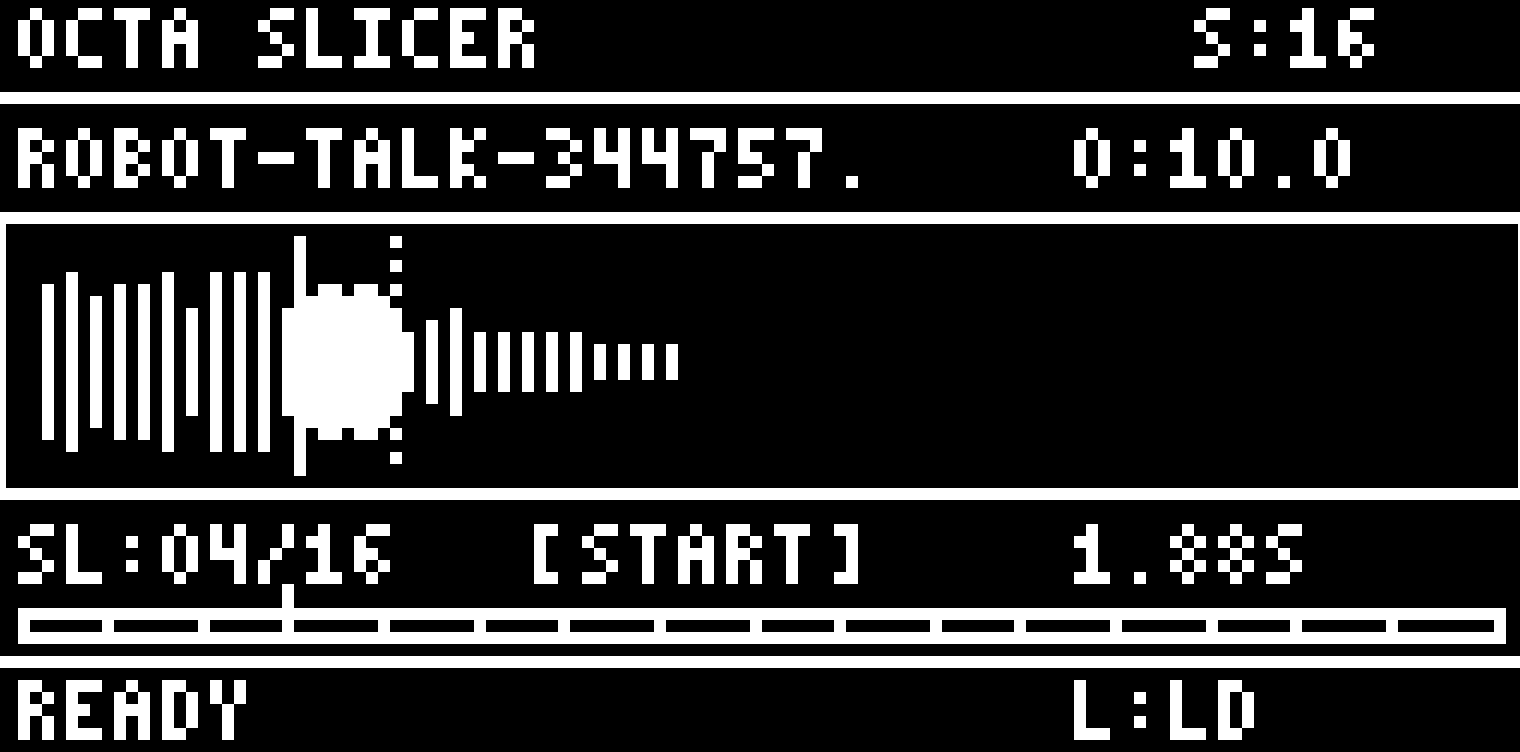
I needed a way to prep longer samples from songs or audio clips into smaller files before loading them onto the Octatrack. I don't like resampling or manually creating new slices every time I want to chop a longer sample on the OT.
This is a tool that lets you visually slice a long sample into however many parts you want (8, 16, 32, etc), preview each slice, adjust the start/end points, and export them all as separate Octatrack-ready WAV files. Batch loading allows for multiple samples, and everything exports as 16-bit/44.1kHz mono so it's good to go directly onto the OT. Happy slicing!
Installation
# Clone the repository
git clone https://github.com/danielesiegel/octa-sample-prep.git
cd octa-sample-prep

# Install dependencies
pip install -r requirements.txt

# Run the application
python octa_slicer.py
Dependencies
Required:
numpy- Audio data processing
Recommended:
soundfile- Load various audio formats (WAV, AIFF, FLAC, MP3, OGG)scipy- High-quality resamplingsounddevice- Audio playback
Without optional dependencies, only WAV files are supported and playback uses macOS afplay.
Keyboard Controls
| Key | Action |
|---|---|
L | Load audio file |
B | Batch load multiple files |
O | Set output directory |
S | Cycle slice count (4/8/16/32/64) |
Space | Play current slice |
+ / = | Move slice position right |
- / _ | Move slice position left |
Shift + +/- | Move position (10x faster) |
Up / Down | Select previous/next slice |
Left / Right | Toggle editing start/end point |
Enter | Process and export slices |
Q / Esc | Quit |
Output Format
All exported slices are automatically converted to Octatrack-compatible format:
- Format: WAV (PCM)
- Bit Depth: 16-bit
- Sample Rate: 44,100 Hz
- Channels: Mono
File Naming
Output files are named: [original-filename]-[slice-number].wav
Example: drums.wav sliced into 16 parts becomes:
drums-1.wav
drums-2.wav
...
drums-16.wav
Usage Example
- Press
Lto load an audio file - Press
Sto select the number of slices (default: 16) - Use
Up/Downto navigate between slices - Use
+/-to adjust slice start/end positions - Press
Left/Rightto toggle between editing start or end - Press
Spaceto preview the current slice - Press
Oto set output directory (default:~/Desktop/OctaSlices) - Press
Enterto export all slices
Batch Processing
- Press
Bto select multiple audio files - Edit slices for the first file
- Press
Enterto export - automatically advances to next file - Repeat until all files are processed
Technical Details
Display Simulation
The application simulates the Octatrack's 128x64 pixel backlit LCD:
- Each "pixel" is rendered as a 6x6 screen pixel block
- Custom 5x7 and 3x5 bitmap fonts for text
- Monochrome white-on-black display
Audio Processing
- Automatic resampling from any sample rate to 44.1kHz
- Normalization of clipping audio
- Validation of exported WAV files
License
MIT License - See LICENSE for details.
Acknowledgments
- Inspired by the Elektron Octatrack
- Based on patterns from auto-slicer and audio-slicer