README from GitHub, GPL-3.0
Frodhes
An electric piano, vibraphone and marimba, computed live, for the M-VAVE FM-1 and the Ableton Move.
No samples: every note is calculated as you play it, from how the real instrument works. A hammer strikes a tine and a pickup turns its motion into sound; a mallet strikes a bar and its tube rings along. Play softly and it is warm; play hard and it barks or rings.
 |
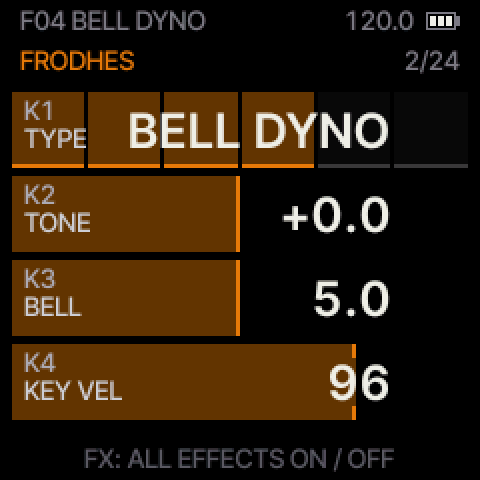 |
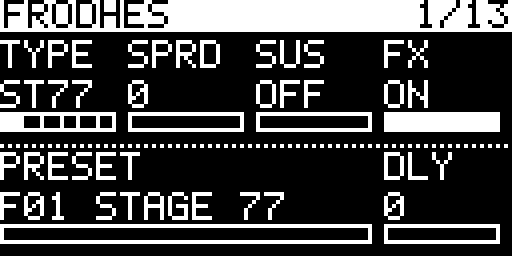 |
| The start screen | On the M-VAVE FM-1: colour screen, four knobs | On the Ableton Move: its own screen, eight knobs |
Try it in your browser before you install: the same firmware, with the FM-1's screen, knobs and keys. Play it from your computer keyboard or a MIDI keyboard.
What you get
- Six instruments: four electric pianos (STAGE 77, SUITCASE, EARLY FELT, BELL DYNO), a vibraphone with its motor (VIBES) and a marimba (MARIMBA).
- Effects: compressor, 3-band EQ, drive with five overdrive types, resonant filter with its own LFO, tremolo / pan / wah, phaser, chorus, delay (digital, analog, tape) and reverb (hall, plate, infinite).
- For playing: sustain pedal, velocity from the FM-1's own keys, chords, scales, arpeggiator, a pattern recorder (1-16 bars, overdub, undo), tap tempo or MIDI clock.
- Connections: MIDI over USB and the TRS input, pitch bend, audio over USB as well as the headphone jack.
- Presets: 19 factory sounds and 16 slots for your own.
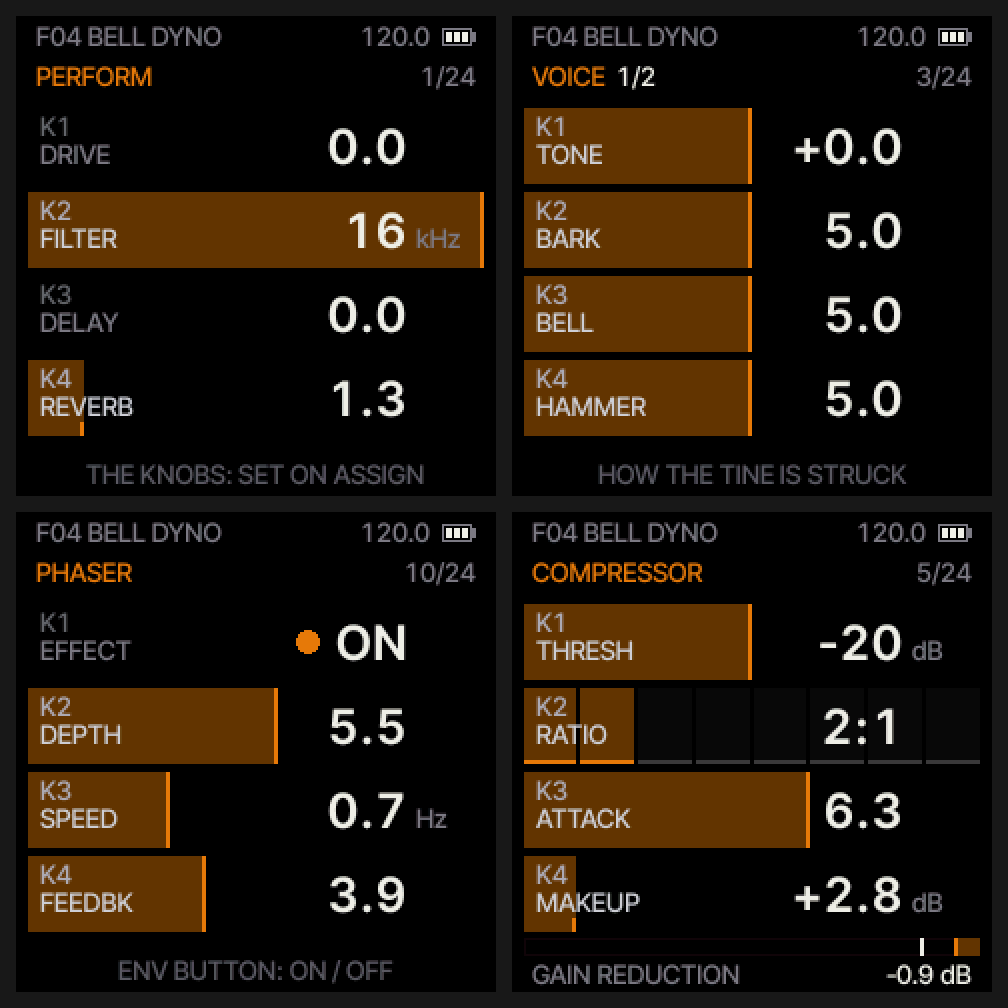
- A screen you can read: one page at a time, one card per knob.
What is new in each version: the release notes.
Install on the FM-1
- Download
frodhes.fwsc. This link always gives the newest version. - Connect the FM-1 with USB and install it from the browser (Chrome or Edge): open the
emulator page and use Install on your FM-1 or SMK-37.
Or from a terminal, in a copy of this repository:
pip install mido python-rtmidi python3 tools/fm1_install.py frodhes.fwsc - If something goes wrong, switch the FM-1 off, hold OCT− and switch it on. This starts the USB rescue, and you can install again from there.
Your settings and presets stay when you update. You can always go back to M-VAVE's own firmware: how.
On the Ableton Move
Frodhes runs on the Move as a sound generator in Schwung, the community module host for the Move.
- The same instruments and effects, with 16 voices on every instrument and the higher-quality version of each.
- The reverb runs at the full sample rate, so its tails keep their top octave.
- Its own screen: the eight knobs as eight cards, a page at a time.
- 57 factory presets (the FM-1's 19 plus 38 more) and 16 slots for your own.
- The Move's sequencer, scales and tempo drive it. The arpeggiator is Frodhes' own.
- One Frodhes on each track, up to four, each with its own sound. Three play without dropouts.
Install it with Schwung Manager in a web browser: Install Custom Module > From GitHub URL, then
leonardoMirabal/frodhes, or the downloaded frodhes-module.tar.gz under From Tarball. Once Frodhes is listed in
Schwung's module catalog, you can also install and update it from there. The steps, and every page:
docs/MOVE.md.


Manual
The user manual: every page, knob and button, the presets, the effects and the MIDI map.
Other keyboards
Frodhes also runs on the SMK-37 Pro, SMK-37 Elite and MKE-P37. Read docs/SMK37.md before you install one.
The files on the release page:
| Device | File |
|---|---|
| M-VAVE FM-1 | frodhes.fwsc |
| Ableton Move | frodhes-module.tar.gz |
| SMK-37 Pro | frodhes-smk37-pro.fwsc |
| SMK-37 Elite | frodhes-smk37-elite.fwsc |
| MKE-P37 | frodhes-mke-p37.fwsc |
Credits
Frodhes is built on Dinghy by zvenson, which uses the platform of Felucca by Leo Kuroshita (Hügelton Instruments) as SLOOP by isod89 carries it. That platform handles updates, the USB rescue, USB MIDI and audio, the panel, the screen and the settings. MIDI pitch bend is genkigenki's work (PR #3). Key velocity on the FM-1's keys follows Charles Vestal's fm1-velocity.
For developers
How to build, test and contribute: docs/BUILD.md and CONTRIBUTING.md.
License and disclaimer
GPL-3.0-only, the same as Dinghy, Felucca and SLOOP (LICENSING.md).
Frodhes is an independent open-source project, not affiliated with or endorsed by M-VAVE, Ableton, the Rhodes or Fender trademark owners or any instrument maker. It comes with no warranty: install it at your own risk.